|
|
Electronic Newsroom, EAS Alerts & Wire Service Capture |
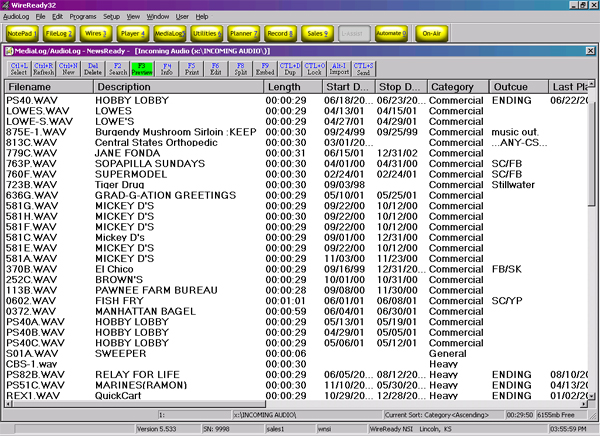
MediaLog
The MediaLog lets you view WAV audio files in a particular directory. You can also change the name of the audio file and add or edit a description. In addition - you can add or edit other fields such as outcue/intro text - category (such as sports - news - etc.) status (such as "needs to be edited" - "ready for air" etc.) and the initials of the person who created the file. You can also preview the audio file with a single click of a button.
Selecting an Audio File
The structure of the MediaLog is similar to the FileLog. The same process is used to change folders and refresh the current folder.
Editing the audio of an audio file
Once the list of audio files is displayed in the MediaLog window, it is possible to edit any of the audio files with Cool Edit or GoldWave (the built-in audio editor included with NewsReady for Windows).
Editing the information attached to an audio file
Once you have a listing of audio files in your MediaLog window, you can edit its information (name, description, category, status, etc.) with the click of a button.
Sorting the MediaLog
The audio files can be sorted alphabetically by any of the columns in the MediaLog. Simply click the desired gray column heading. A second click will cause the list to appear in reverse order.
This page created by WebReady - Powered by WireReady NSI
|
|